Revolution R180 Connect Review: Is It Worth the Price?
In this article
This Revolution R180 Connect review starts with one question: is a touchscreen toaster worth a high price? The Revolution R180 Connect smart toaster is a two-slice stainless steel model with a 7-inch color screen, optional Wi-Fi and a mechanism that lowers and lifts the bread for you. We found no measured test of this exact model. What we have is a hands-on CNET review of its sibling, the Connect Plus, plus nine Best Buy reviews. The toasting reports are good. The price tier is the main argument against it, and the reports are few.
Our Revolution R180 Connect review verdict
CNET’s hands-on test of the Connect Plus, a sibling model, is the best evidence for speed: a frozen bagel took 1 minute 53 seconds, against 2 minutes 55 seconds on the Kalorik Vivid Touch, which browned less. No test of this exact model turned up. This toaster sits in the high price tier ($$$), and price was CNET’s main criticism.
check the Amazon listing R180 Connect Specs and Price Tier
The table below is the spec side of this Revolution R180 Connect review, taken from the maker’s brand page and the manual.
| Spec | Listed detail |
|---|---|
| Type | Two-slice stainless steel smart toaster, model R180C-01 |
| Finishes | Stainless Steel / Chrome; Matte Black / Chrome |
| Dimensions | 11.6″ L x 6.1″ W x 8.4″ (the page doesn’t label the third number) |
| Weight | 6.4 lb |
| Power | 120 V AC, 1500 W |
| Screen | 7″ full-color LCD touchscreen |
| Settings | 6 bread settings, 3 food states, 7 shade levels |
| Wi-Fi | Optional |
| Cord | Short, length not given; no extension cord allowed |
| Battery | Non-replaceable coin cell |
| Price tier | $$$ (high) |
Slot width isn’t stated on this Revolution R180 touchscreen toaster. The manual’s one-inch limit on food thickness is the only size guide. The brand page says it’s sold in the US only, while the manual certifies it for the US and Canada.
Model names get muddled online. If you’ve read another Revolution InstaGLO R180 review, check which version it covers. This post is about the Connect, model R180C-01.
We don’t print prices, so this Revolution R180 Connect review uses tiers. This toaster is in the high tier ($$$). The maker sells it direct with free US ground shipping, and Best Buy carries it too. If you’re still sorting out what matters in a toaster, our what to look for in a toaster covers the basics.
Touchscreen and Smart Features
How the touchscreen works
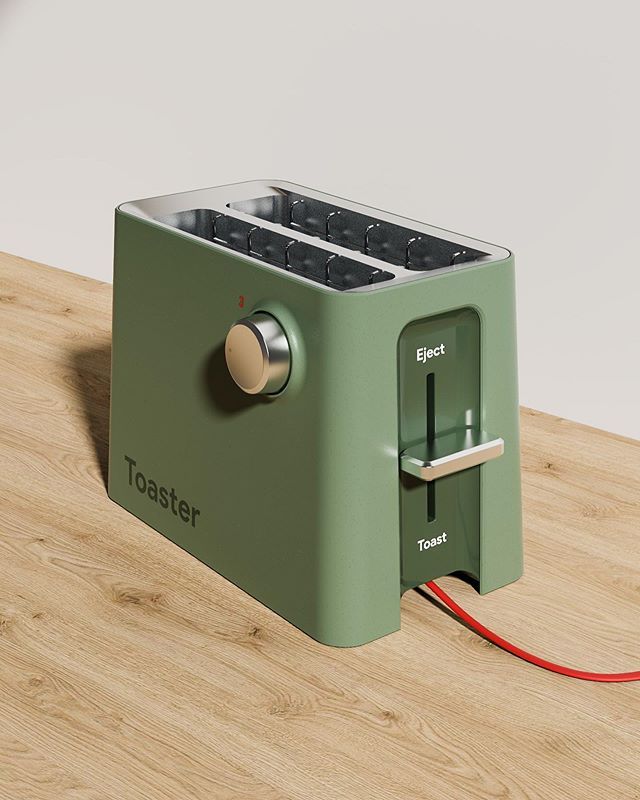
A Revolution R180 Connect review has to start with the screen, because there are no dials. Tap the large food image to activate the other settings. The START button flashes when the toaster is ready. The manual calls this a two-touch safety step.
You get six bread settings: bread, English muffin, regular bagel, large deli bagel, waffle and toaster pastry. Large bagel is a toggle on the bagel screen. Pick one of three food states (fresh, frozen or reheat), then one of seven shade levels. Shade results vary by food type and freshness, and the screen images are for reference only.
The maker says three taps cover bread type, state and shade, which matches the manual’s steps. Hands-on reviewers rated the screen easy to use on the Connect Plus, and CNET praised how bright it is.
You can adjust screen brightness and chime volume, and pick a 12- or 24-hour clock in digital or analog. An onscreen countdown runs during toasting, and a chime marks the end. A “Time to clean” notice reminds you about the crumb tray, which is removable with a click-in release.
The maker says a temperature sensor adjusts heat in real time. The bottom heating elements glow hotter than the top ones by design. No source behind this Revolution R180 Connect review measures heat-up time. A Toastie Press mode is a toggle on the Bread screen, for the Revolution Toastie Press accessory.
For first use, the manual says to run two empty cycles on Bread at level 4. A mild odor is normal and fades.
Does it need Wi-Fi to work?
No. Wi-Fi is optional on this toaster. It sets the time, date and local weather and shows software update notices. Without it, you set the clock by hand and the weather isn’t available.
Software updates need Wi-Fi and install only with your permission. The maker says it “may” release them, so none is promised. Location auto-detect uses the nearest internet-provider hub, which can be wrong, and you can type a city instead. One of nine Best Buy reviewers said the weather ran several degrees off compared with phones.
Privacy statements that disagree
The brand page headline says no data is collected from the toaster. The FAQ and the manual say that by connecting, you agree the maker may collect your IP address. They also say the toaster doesn’t collect or share personally identifiable information, and that the maker doesn’t collect or store usage information. A Revolution R180 Connect review can’t call that a clean “no data” claim. The IP address is the one thing the fine print admits to, and only if you connect.
Safety Limits and Warranty
Every safety limit below comes from the [[EXTERNAL: manufacturer user manual | user manual]], since we don’t test products.
What can’t you put in it?
Anything thicker than one inch, plus small breads, mini-baguettes, breadsticks, torn slices, buttered bread, wrapped food and anything that melts or drips. The manual lists these as no-go. Toaster pastries need their own setting.
The manual also limits it to household, indoor use and says never leave it running unattended. Don’t use it without the crumb tray, and don’t let crumbs build up, because that’s a fire risk. Let the toaster cool fully after six consecutive panini cycles. Let food cool 30 seconds before you take it out.
Keep it uncovered and away from curtains, shelves and other flammable items. Keep paper, cardboard, plastic and cloth out of it, off it and from under it. Unplug it before freeing jammed food. Don’t repair or modify it, and skip any accessory not designed for it.
A Revolution R180 Connect review should mention the cord: it’s short, with no length given, and the manual says not to use an extension cord. It also says not to run another high-wattage appliance on the same circuit. The toaster holds a coin cell battery that can’t be replaced.
Is the warranty one year or two?
It depends on the source. The brand page says two years. The manual says a limited one-year warranty for units bought from authorized sellers. We can’t settle it from the documents we have.
The manual’s terms: defects in material or workmanship are fixed with an identical or comparable replacement. The replacement is covered for the rest of the original term or 90 days, whichever is longer. Professional or inappropriate use voids the warranty. So does use outside the US and Canada, and so do accessories not designed for the toaster. The brand page adds 30-day free returns and a money-back guarantee, US only. Registration is by the QR code on the underside or through the maker’s welcome page.
What Testers and Buyers Found
CNET’s test of the Connect Plus
CNET’s review is hands-on, with a stopwatch, not lab work. It covers the R180 Connect Plus smart toaster, not this exact model, and the page shows only an “Updated” label with no date.
We don’t know what separates the two models, which limits how far this Revolution R180 Connect review can lean on that test. differences between the R180 Connect and the R180 Connect Plus
On a frozen bagel, the Connect Plus took 1 minute 53 seconds. The Kalorik Vivid Touch took 2 minutes 55 seconds and browned less. The reviewer said browning matched the screen on multigrain at level 3 and on sourdough white bread. Levels above 4 looked burnt to the reviewer. No glitches showed up during the tests.
CNET liked the screen and the range of options. Its criticism was price, and the reviewer didn’t recommend the toaster for everyone at that cost.
Buyer reviews on Best Buy
Best Buy Stainless Steel listing is the buyer source for this Revolution R180 Connect review, and it shows nine reviews. A note points to 53 more on the maker’s own site, and the page also pools feedback from the Matte Black listing. An average rating isn’t clearly shown. We read all nine. Eight carry an “Incentivized” label, and Best Buy says some reviewers get discounts or promotional considerations.
On the plus side, three of nine called the look sleek or good-looking, and Best Buy’s own Appearance tag shows four. Two said toast matched the shade or setting they chose. One said the toast crisps nicely on the outside and that the Toastie Press and a separately bought warming rack both worked.
One of nine, a 1-star, incentivized review from a short ownership, reported burnt toast at level 3 and a frozen screen. It also mentioned the wrong time. A different reviewer described about two years of near-daily use with no problems mentioned. The maker replied under reviews and invited the 1-star reviewer to call consumer care.
That’s a small sample, and a skewed one. Nine mostly incentivized buyers can only point in a direction. The 1-star report of burnt toast at level 3 sits against CNET’s level 3 match on the Connect Plus. Different models. It settles nothing.
Maker claims versus the evidence
A Revolution R180 Connect review should check the maker’s headline claims against what the sources show.
| Claim | What the sources show |
|---|---|
| Reaches full heat in seconds and sears bread (this model) | No measured test of this exact model turned up. CNET’s hands-on timing on the Connect Plus is the closest data. |
| InstaGLO 2.0 gives edge-to-edge browning | No test of browning evenness for this model turned up. |
| Three taps to pick bread type, state and shade | Matches the manual’s steps. Reviewers rated the Connect Plus screen easy to use. |
| Toasts to the shade shown on screen | CNET saw a match on the Connect Plus at level 3. Two of nine Best Buy buyers reported a match on this model. One 1-star review reported burnt toast at level 3. |
| No data is collected (brand page headline) | The FAQ and manual say your IP address may be collected if you connect. |
| Two-year warranty (brand page) | The manual says a limited one-year warranty for units from authorized sellers. |
Revolution R180 Connect Pros and Cons
Items marked Connect Plus come from the sibling model, since we found no timing data for the exact model.
Pros
- Bright screen with plenty of options (CNET, Connect Plus)
- Frozen bagel finished faster than on the Kalorik Vivid Touch (CNET, Connect Plus)
- Browning matched the screen at level 3 on multigrain (CNET, Connect Plus), and two of nine Best Buy buyers reported a match
- Wi-Fi is optional
- Removable crumb tray with a “Time to clean” notice
- Three of nine buyers called the look sleek
Cons
- High price tier ($$$)
- Levels above 4 looked burnt (CNET, Connect Plus)
- One of nine buyers reported a frozen screen and burnt toast at level 3 after a short ownership
- Maker pages disagree on the warranty term and on data collection
- Food over one inch thick is off limits, and there’s no dedicated warming mode
- Not dishwasher safe, and the cord is short with no extension cord allowed
Who Should Buy It
Going by the evidence in this Revolution R180 Connect review, the toaster fits someone who wants to choose bread type, frozen or fresh, and shade on a screen, and who accepts a high price tier.
Skip it if you toast thick-cut bread, since anything over an inch is out. Price is the other hurdle at the high tier.
Alternatives to Consider
CNET compared the Connect Plus with one rival, so a Revolution R180 Connect review has only one named alternative with sourced facts.
Kalorik Vivid Touch
In CNET’s hands-on test, the Kalorik Vivid Touch smart toaster took 2 minutes 55 seconds on a frozen bagel and browned less than the Connect Plus. CNET said it costs less than half as much. We don’t have its specs, so a full side-by-side of the Revolution smart toaster vs Kalorik Vivid Touch lives in our Revolution versus Kalorik smart toaster comparison
No other named alternatives have sourced facts here. named alternatives with source facts
How We Research
We don’t test products. This post draws on the maker’s brand page, the user manual, a hands-on CNET review of the Connect Plus and the nine reviews on Best Buy’s Stainless Steel listing. Where sources disagree, we say so. Where a fact is missing, we mark the gap. That’s the whole basis of this Revolution R180 Connect review. You can read more on how we review products and our about page.
Revolution R180 Connect FAQ
Can it reheat or warm toast?
There’s a reheat food state, but no dedicated warming-rack mode. The maker suggests Bread, Fresh, level 5 for warming. CNET’s reviewer found levels above 4 looked burnt on the Connect Plus, so those two statements don’t line up.
Does it come with the Toastie Press?
It depends on the page. The maker’s brand page says “sold separately” in one place and “included in bundle purchase” in another, so the sources for this Revolution R180 Connect review can’t settle it.
Does it toast bagels?
Yes. There are two bagel settings, regular and large deli, switched by a toggle on the bagel screen. Frozen is one of the three food states. Shade has seven levels, and results vary with the food.
How do you clean it?
Four steps, all from the manual: unplug and let it cool, empty the crumb tray, wipe the outside with a water-dampened cloth, then dry it. Don’t spray cleaner on it. It isn’t dishwasher safe.
To empty the tray, push it in to eject it, pull it out, then slide it back until it locks. For general care, see our [[INTERNAL: how to clean a toaster | toaster cleaning guide]].
Our Bottom Line
The evidence in this Revolution R180 Connect review is positive on toasting and mixed on trust. The only timing is for the Connect Plus. The buyer reviews are few and mostly incentivized. The maker’s pages contradict each other on warranty and data collection. The sources do agree on a bright, easy screen, and a few reports of shade results that matched. For other smart options, see our best best smart toaster comparison. The decision comes down to whether a screen is worth the high price tier.